
AltTester® 2.4.0 is out now, and it brings a structural change to how AltTester® Desktop and AltTester® Server work together. We also updated the Connection Panel to make it easier to see and manage what’s connected to your server.
Let’s take a closer look at these updates.
The server is no longer part of the Desktop app
Up to this point, the AltTester® Server ran as part of AltTester® Desktop, bundled into a single process. Starting with version 2.4.0, Desktop and Server now run independently as separate processes.
In practice, this means that the Server can start, run, and stay connected without the Desktop application needing to be open at all. For teams running AltTester® in CI pipelines, on build machines, or in Docker, the key takeaway is this: because the Server is no longer packaged with the Desktop UI, the Docker image is now significantly smaller.
So if your pipeline pulls the AltTester® Docker image regularly, on every build, that reduction helps improve performance: faster pulls, less storage, and less to manage on machines that don’t need the Desktop UI every single time.
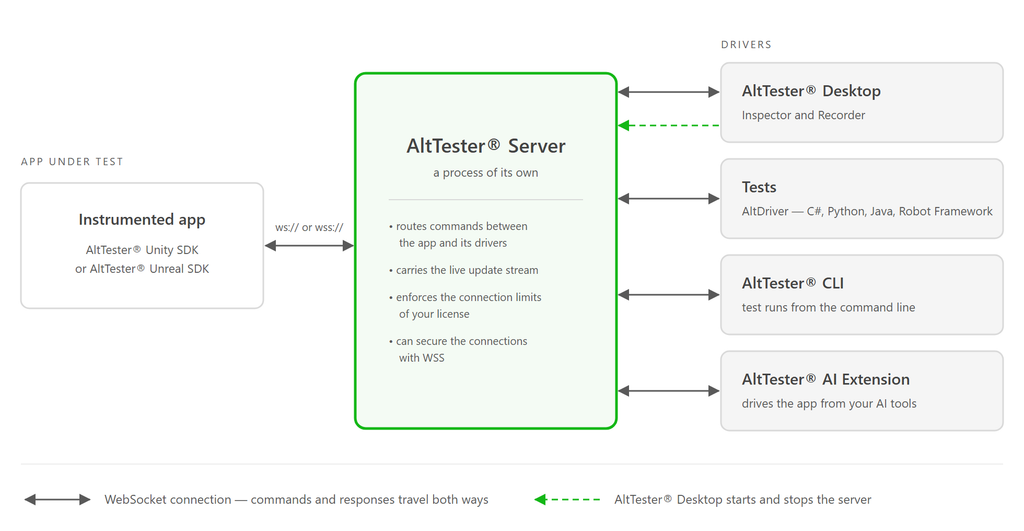
Here’s an updated visual representation of how AltTester® works, to help you understand all its components, extensions, and processes:
A clearer Connection Panel in Desktop
Alongside the Server-related change, we have also updated the Connection Panel in AltTester® Desktop.
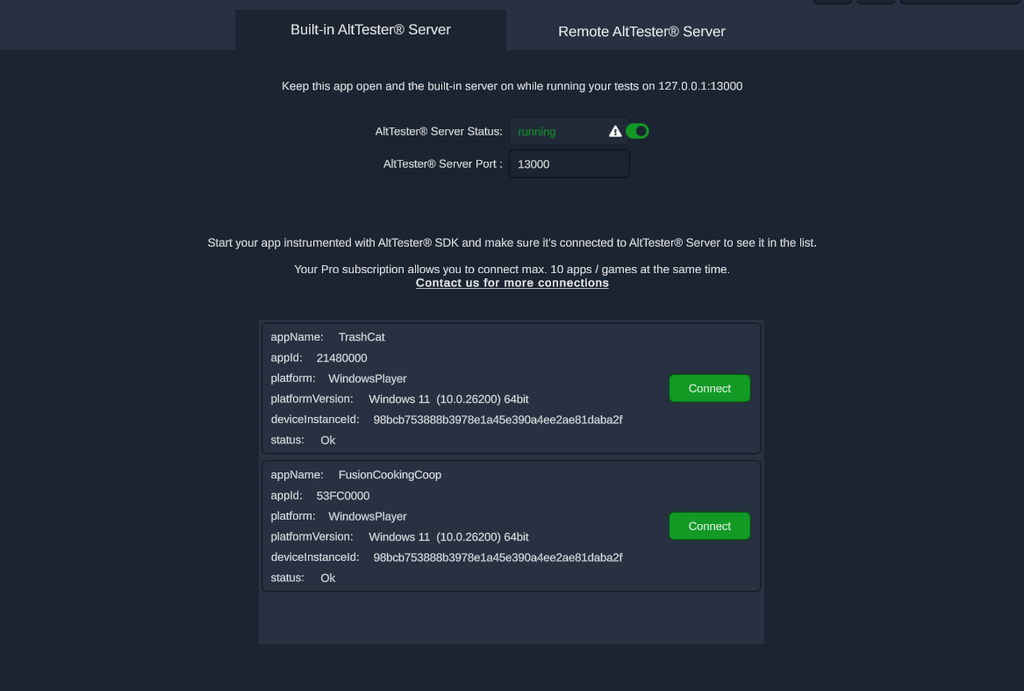
Before this change, you could see only the app connections. Now, the Connection Panel gives you a single, clearer view of every app and driver connected to the server at once, so you can actually see all your connections. See below:
Before the update to v2.4.0:
And now:
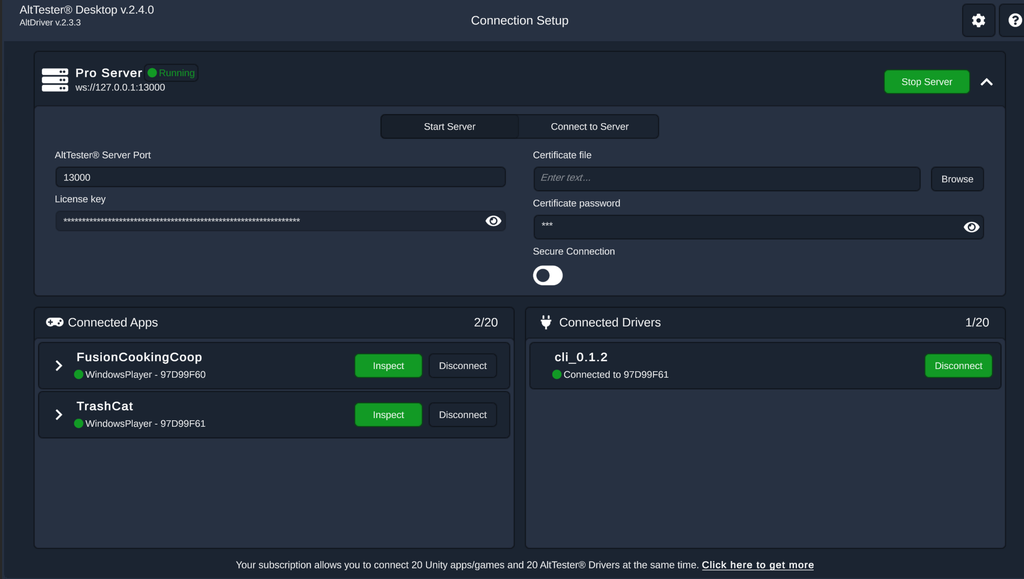
Also, we’ve added the ability to disconnect any app or driver directly from the panel.
Small change, but it removes a real point of friction for anyone managing multiple connected apps or devices during a test session.
Upgrade to AltTester® 2.4.0
Full details on the new Server/Desktop architecture, migration notes, and the updated Connection Panel are available in the AltTester® documentation.
Download the updated AltTester®.
If you run AltTester® Server in Docker or CI, we recommend reading through the setup changes there before upgrading, since the process separation may affect how you start and reference the Server in existing scripts.
Questions or issues after upgrading: support@alttester.com or find us on Discord.