Overview
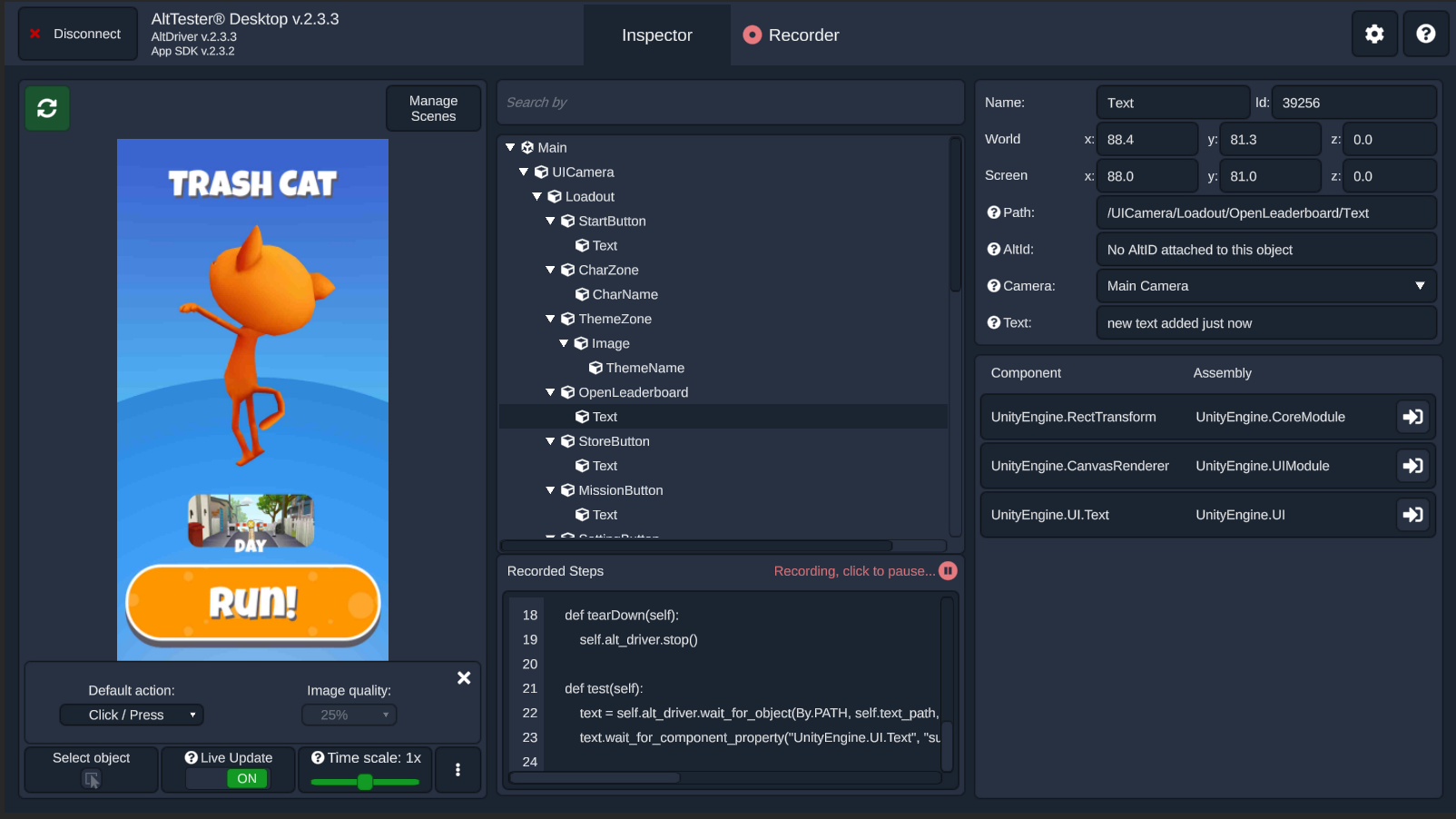
AltTester® Desktop‘s main goal is to allow games to be explored and inspected outside of the Unity Editor, on the platform the game was built for. This approach is very similar to the Appium Inspector or to the DOM Inspector of a web browser. It also offers the possibility to generate automated tests by recording the steps you take while interacting with the app through AltTester® Desktop.
Main functionalities:
Inspect the game objects hierarchy outside the Unity Editor
Get object’s components, assemblies, methods, fields and properties without access to the source code
Record your steps taken in the AltTester® Desktop and generate automated tests (C#, Python, Java, Robot Framework)
Run your recorded steps (Python, Robot Framework)
Interact with your game from AltTester® Desktop using keyboard, mouse, touchscreen and joystick actions
Display different scenes or levels; the hierarchy objects are wrapped within a scene object
Control the speed of the game
Search the hierarchy of objects by selectors
Scenes can be loaded or unloaded in a single or additive manner
The last successful connection info is saved to make reconnecting easier
Start and stop the AltTester® Server, or connect to one that is already running, locally or remotely
It could help you with a few challenges you’ve possibly encountered when testing Unity Games:
Test a game without access to the source code or access to Unity Editor
Debug the built game, to check the values of the objects during runtime
Get a property from the object. For this, you’ll need the component name and sometimes the assembly, which is time-consuming to search. AltTester® Desktop will make sure to give you the exact component name and assembly, ready to be added to your tests
How it works
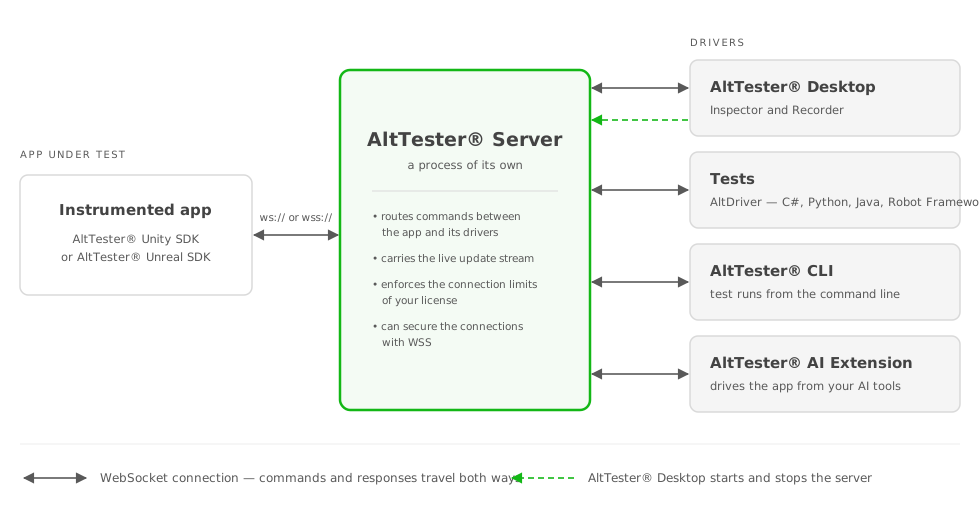
In order to test your application you need to create an instrumented build of your Unity App. The instrumented build opens a communication protocol which gives you programmatic access to objects inside your Unity App.
Components
AltTester® Unity SDK Unity Package - tool for instrumenting your app.
AltDriver (C#, Python, Java, Robot Framework) - bindings for C#, Python, Java and Robot Framework to write your tests.
AltTester® Server - the process that binds the drivers with the instrumented app. It runs on its own, outside AltTester® Desktop: Desktop downloads it, starts it and stops it for you (see Get the AltTester® Server), and your tests can also use a server you start yourself or one running remotely - see AltTester® Server.
AltTester® Desktop - the Inspector for interacting with the instrumented build and exploring the hierarchy of the objects, and the place you manage the AltTester® Server from.
Note
In earlier versions the AltTester® Server ran inside AltTester® Desktop. It is now a separate executable with its own version, which means Desktop and the server are updated independently of each other.